

Table of Contents
- Who is this decoding wheel for?
- What do you need to print and prepare?
- How do you assemble the wheel and keep the reading direction clear?
- How do you choose a key and check the setting?
- How do you encode and check a short message?
- What should you check if the coded message makes no sense?
- How can you add the wheel to a game safely?
- Why can't this wheel protect a real secret?
- What should you keep, and what can you try next?
- Frequently asked questions
The first attempt fits on one card. Your child writes a word, you encode it together, and then you check it before hiding anything. The Hepaly team provides two discs, a key card, and a worksheet with a separate answer sheet. Keep the wheel at the same setting for the whole message.
Who is this decoding wheel for?
It works best for a child who can read a short word and find letters in the alphabet. Age alone does not determine where to start. The University of Geneva's Scienscope offers its cryptography workshop from age 8 and specifies that students must be able to read. That describes its workshop, not a universal measure of success.
For an 8–10-year-old who is comfortable reading, start with a familiar word and a given key. At age 7, an adult can read the directions and follow the letters alongside the child. If recognizing letters already takes a lot of effort, simply match letters on the discs without a message to solve.
For ages 4–6, a more direct sorting or matching activity may be a better start, such as a two-way sorting table. We do not present the Caesar cipher as a required skill in French first grade. France's official cycle 2 curricula do not replace checking what your child can currently follow.
| Observed skill | Suggested starting activity | Adult help |
|---|---|---|
| They recognize a few letters | Find the same letter on both discs, with no shift | Name the letters and leave the message for later |
| They can read a word and follow the alphabet | Encode one word with the key in view | Show one pair, then let your child try |
| They can encode and check a word independently | Exchange a card with another reader | Check that both readers use the same key |
| They want to compare methods | Try a Polybius square next | Explain that coordinates replace the shift |
What do you need to print and prepare?
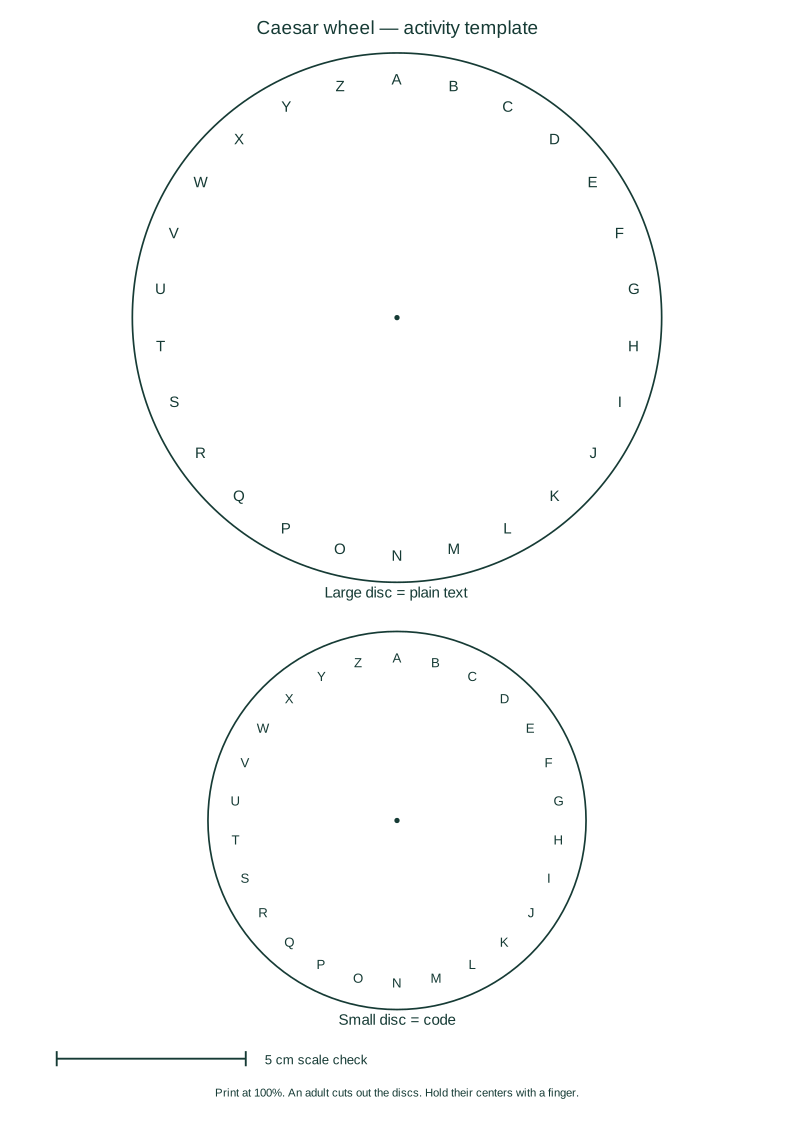
The template provides a large disc, a small disc, and a scale mark. Print at 100%, without automatic fitting, to keep the stated dimensions. The mark should measure 5 cm on the paper; check it with a ruler.
Use firm paper, or glue the sheet to thin cardboard before cutting it out. An adult handles scissors and any fastener. For the first attempt, there is no need to make a hole: a finger on the centers keeps the small disc still.
In this template, the large disc is 14 cm across and the small disc is 10 cm across. Those dimensions are layout choices to keep the letters readable, not a school standard. Both alphabets stay in the same A–Z order.
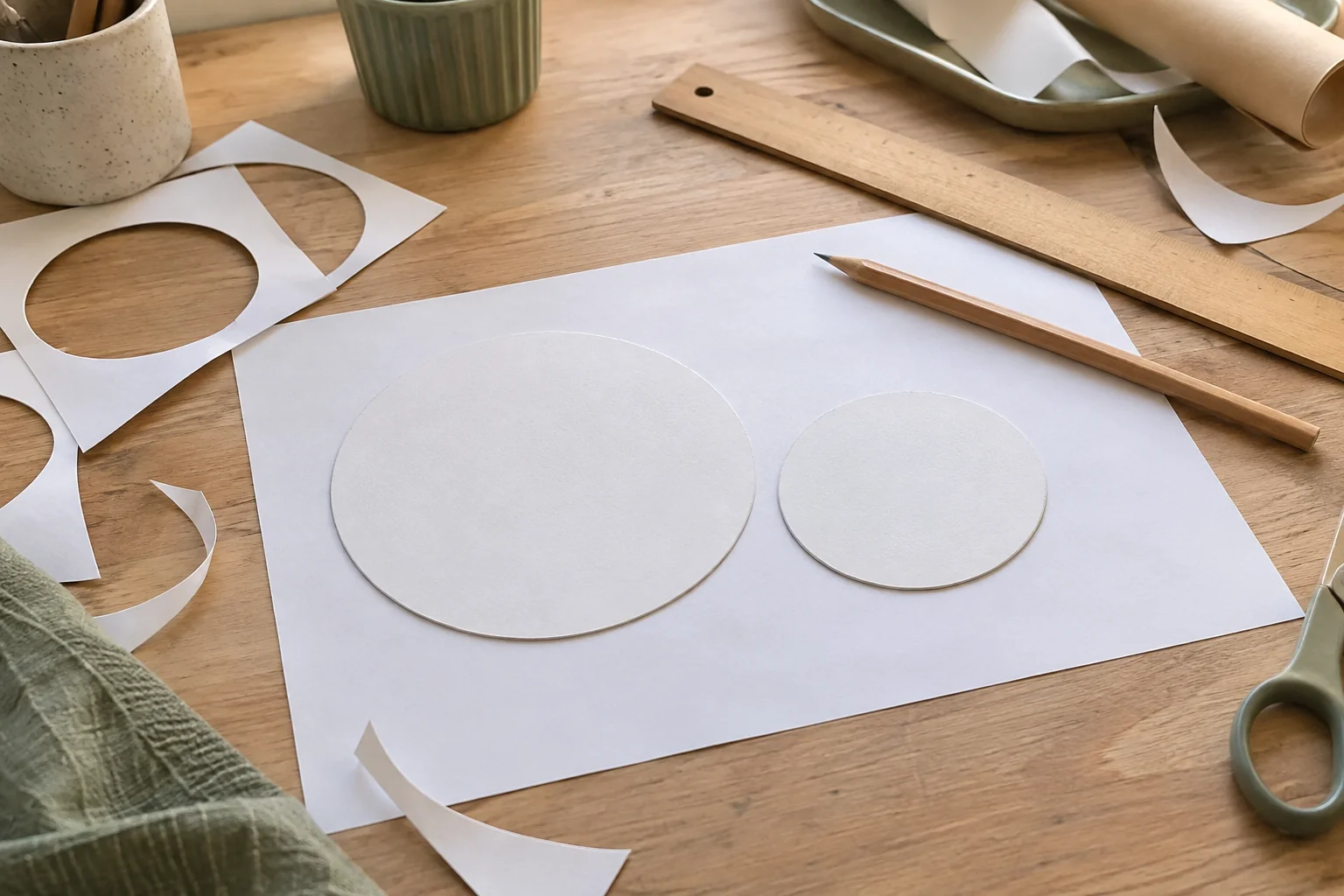
1 · Prepare the paper
The template, scale mark, and assembly
0 of 4 setup checks completed.
of 4 setup checks completed.Download the SVG template or open it for printing. The vector file keeps letters sharp at different printer resolutions. Prepare the message sheet in the activity below: its answer does not appear on the child's sheet.
How do you assemble the wheel and keep the reading direction clear?
Keep the large disc underneath and the small one on top. Both alphabets run in the same direction, with their centers aligned. Turn the small disc to select a key, then hold it still while reading.
Our template states the convention: “large disc = plain text” and “small disc = code.” To encode, find the letter on the large disc and read its partner on the small one. To decode, find the received letter on the small disc and follow it back to the large one.
Do not just say “turn right.” The turning direction can be confused with the reading direction. Show the resulting pair, such as A → D, then check a letter near the end of the alphabet. Wrapping from Z to A stays part of the same circle.
If you use a fastener, it must allow the disc to turn without leaving an exposed point. An adult makes the hole and checks the assembly. Holding the centers with a finger is still enough for a table activity.
How do you choose a key and check the setting?
The key sets the same shift for every letter. With our key 3, A becomes D; the rule does not change midway through a message. The activity displays both the starting pair and the full table so you can compare the paper wheel with the result.
Start with two separate checks: the first letter of the alphabet and a letter that wraps past Z. In our example, Z becomes C. If that second pair does not match, stop and check the setting instead of inventing an exception.
Geneva's teaching resource describes the same principle: agree on a shift to encode, then use the opposite shift to recover the text. Our 26-letter alphabet has 25 nonzero shifts. A zero setting leaves every letter unchanged and is useful only for understanding alignment.
The check does not measure speed or ability. It makes a letter correspondence visible. You can print the table for your selected key and keep it beside the wheel. It is a useful reference, not an answer you need to hide.
How do you encode and check a short message?
First choose a word your child can read without the code. With key 3, our example MOON becomes PRRQ. The steps below the tool show each letter pair in order. They help you find a copied letter that needs checking without starting the whole line again.
Spaces, numbers, and punctuation stay in place. To keep the A–Z template consistent, the tool changes letters to uppercase, removes accents, and replaces Œ with OE and Æ with AE before shifting. It shows the prepared text so you can compare it with your original word before creating the sheet.
This convention applies to our tool. Other games may handle accents differently. If you receive someone else's worksheet, read its instructions before deciding the result is wrong. A shuffled or expanded alphabet uses a different setup.

Give your child the message sheet and keep the answer sheet separate. The key card can stay visible from the start. The challenge is to understand the rule and read the word. Finding a hidden key would add another difficulty, best offered separately.
What should you check if the coded message makes no sense?
First check the key, reading direction, and alphabet. A word that makes no sense does not mean your child failed to think. A disc that slips one position, or a single missed letter, can change the line.
The diagnostic below covers four different situations. It does not guess an arbitrary code: each case compares known instructions with a known attempt. Repeat the correction on paper by pointing to the first letter pair that no longer matches.
If the coded message is too long, shorten the text first. If your child is unsure about the alphabet, keep the letter table visible. If the wheel moves, let an adult hold the centers. These supports address different difficulties; removing all of them at once does not make the exercise clearer.
Our guide to secret codes for children compares other methods. A Polybius square uses grid coordinates and may suit a child who prefers finding a row and column. Changing methods does not fix the wheel; explain the new rule.
How can you add the wheel to a game safely?
Before the game, check each card with the wheel you will actually give the players. The message writer can keep the answer sheet while another reader follows the letters in reverse. This catches a setting changed between cards or a word copied with a missing letter.
Put clues in ordinary, accessible places where children are allowed to look. No clue needs to be inside an oven, near an outlet, up high, or in a household-cleaner container. A final instruction such as “take the green card” gives the game a next step without sending your child searching everywhere.
In a group, rotate roles: one person holds the wheel, one finds the letters, and one writes. An adult checks that everyone can read the final text. A logic puzzle can follow the decoding, but keep the new instructions visible.
The following English-language Khan Academy video explains a fixed shift and why letter patterns can reveal it. It offers another way to follow the idea; the paper wheel and checked examples work without playing it. Its historical discussion is not advice for protecting today's private messages.
Why can't this wheel protect a real secret?
The same shift always produces the same letter pairs. Geneva's resource explains that someone can try different keys and use letter frequency to help find the setting. This wheel is a coding game, not a way to protect a password.
Do not use a home address, access code, or another child's information to make the message feel real. An invented word or game phrase is enough. The activity fields stay in this page: their content is neither sent nor saved automatically. Only a download you request creates a file on your device.
Shuffling the inner alphabet would create a different substitution with a different key. We keep both alphabets in the same order so every letter pair can be checked. Understanding the mechanism does not require promising that it will keep a secret.
What should you keep, and what can you try next?
Store both discs with the reading convention and a key card. A wheel separated from its instructions can become confusing the next time you use it. Keep one checked worksheet as a starting example; there is no need to save every attempt.
If your child wants more paper activities, follow their interest: another key for the same wheel, another word, or a switch to a grid. Our free activities also offer spatial matching, symmetry, and pattern sequences without requiring decoding.
A printable Caesar cipher wheel keeps the materials simple: two alphabets, a stated key, and a consistent reading direction. One short message checked carefully is a better starting point than a long treasure hunt whose rules change without warning.
Frequently asked questions
Can you use the wheel without a paper fastener?
Yes. Align the centers and hold them with a finger on a table. Keep the small disc at the same setting for the entire word.
Which direction do you use to encode?
Set a precise pair, such as A becomes D, then read from the large “plain text” disc to the small “code” disc. Reverse that direction to decode.
What happens to accents, spaces, and numbers?
The tool removes accents, uses uppercase, and changes Œ to OE and Æ to AE. Spaces, numbers, and punctuation stay unchanged. The prepared text appears before the result.
Why doesn't my paper wheel give the same word as the tool?
Check the key pair, the matching A–Z order, and the reading direction. The disc may also have slipped. Compare one letter with the table first.
Is this activity suitable for a first grader?
It may suit a child who can read the word and find the letters with help. We do not present it as a French first-grade curriculum requirement. Make the task smaller if reading already takes their attention.
Can this wheel protect a password?
No. Someone can try the shifts, and the letters keep recognizable patterns. Use only game messages without private information.